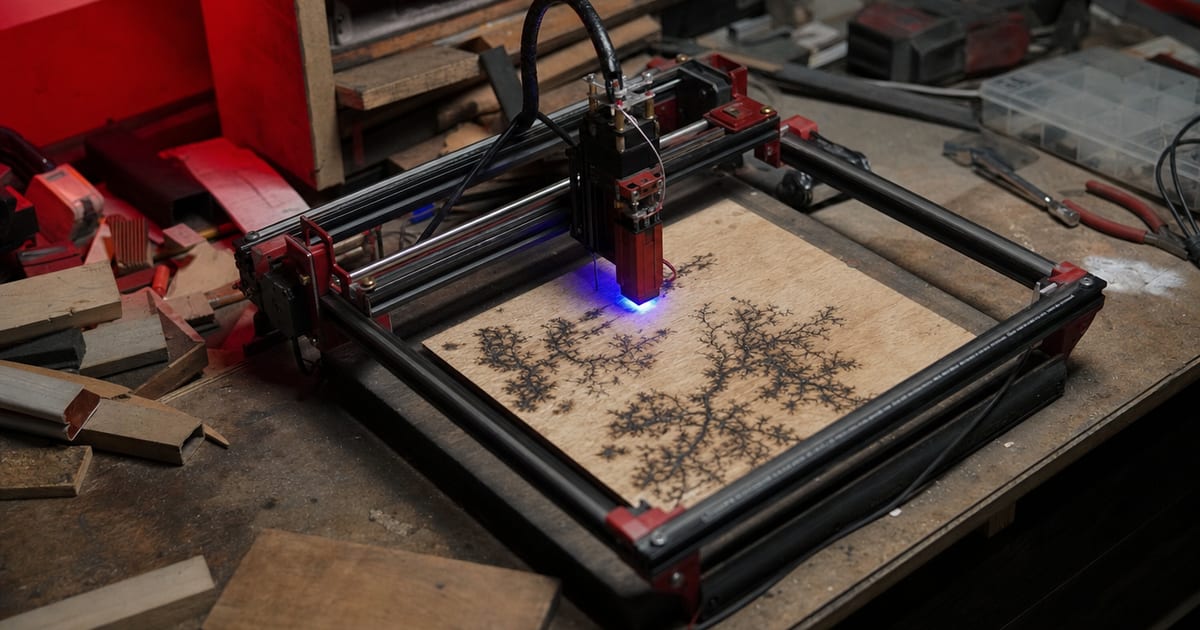
The first laser I ever owned sat on my kitchen table for one disastrous weekend, and it nearly ended the whole thing before it started. I’d been making small craft pieces by hand for years, and a laser felt like the obvious next step. So I did what most first-time buyers do: I went online, sorted by price, and picked the machine with the biggest number on the box. It said something huge — I won’t pretend I remember the exact figure, but it was a “watt” number that made me think I was buying serious cutting power. I was wrong, and the way I was wrong is the reason this site exists.
I bought a number, not a machine
Here’s the trap I walked straight into. Cheap diode lasers are often advertised by their input or electrical wattage — how much power the unit draws from the wall — not by their optical wattage, which is the actual laser power hitting the material. A machine sold as a big-number “watt” laser might only put out a small fraction of that as usable beam. I didn’t know the difference existed. I saw a large number, assumed it meant cutting power, and ordered it.
When it arrived I had a craft order lined up that needed 6mm clear acrylic cut into shapes. In my head this was a Saturday job. I clamped a sheet down, set it running, and waited for the cut.
The cut that never came
It didn’t cut. It barely marked the surface. I slowed it down, ran it again, ran it a third time — still nothing but a faint scuff. I was baffled, because the box number said I had power to spare.
What I didn’t understand then is physics, not a faulty machine. A blue diode laser runs at roughly 450 nanometres, and clear acrylic is essentially transparent to that wavelength — the beam passes straight through it instead of being absorbed. No absorption, no heat, no cut. It was never going to work, no matter how I tuned it. The same physics is why a diode reflects off bare shiny metal instead of cutting it. The material and the wavelength have to match, and mine didn’t.
I ruined the sheet, missed the craft order, and sat there feeling like I’d wasted my money on a toy.
And then there was the smoke
The acrylic failure wasn’t even the worst part. I’d set the whole thing up on the kitchen table with no air assist and no real ventilation — a window cracked open, that was it. The little bit of marking the laser did do filled the room with acrylic fumes fast. It stank, it stung, and I had to throw the doors open and clear out. Running a laser like that isn’t just unpleasant, it’s genuinely unsafe — laser smoke from materials like acrylic is harmful to breathe, and a beam on flammable material with nobody managing airflow is a fire risk.
That weekend handed me three lessons at once, and they’ve shaped everything I’ve built since.
The three lessons that became this site
- Optical watts are not input watts. The number on the box is often the power the machine draws, not the power the beam delivers. Always look for the optical (output) wattage, and treat a suspiciously huge headline number as a red flag.
- Diode and CO2 lasers cut completely different material sets. A diode is brilliant on wood, leather and dark-coated stock and can cut thin material — but clear acrylic and bare metal defeat it on wavelength alone. A CO2 laser (around 10.6 micrometres) is the one that cuts acrylic, thicker wood and leather. Matching the machine type to your material is the single most important buying decision.
- Air assist and ventilation are not optional. They’re part of the machine, not an upgrade. Proper fume extraction ducted outside, and a laser you never leave running unattended, are the baseline for working safely.
Why this mistake is so common
I used to think I’d just been careless. Years later, having watched dozens of new makers make the exact same purchase, I know it’s not carelessness — it’s how the market is set up. Cheap machines lead with the most impressive-looking number because that’s what sells, and a first-time buyer has no way to know that “watts” can mean two different things. Add in marketplace listings that bury or omit the optical figure, and review videos that gloss over wavelength limits, and the trap is practically built for you. You’re not foolish for falling in; almost everyone does. The only real defence is knowing the questions to ask before you buy — which material, which wavelength, which optical tier — and that knowledge isn’t hard, it’s just rarely handed to beginners up front.
The cost wasn’t just the machine
The part that stung most wasn’t the price of the laser. It was the knock-on cost: the ruined sheet of acrylic, the craft order I couldn’t fill, the weekend lost, and — honestly — the dent in my confidence. For a little while I assumed I’d misjudged the whole idea of lasering, when really I’d just bought the wrong tool for the job I had. That gap between “I can’t do this” and “I bought the wrong machine for this” is exactly where a lot of people quit the hobby entirely. They blame themselves or the craft, when the fault was a mismatch they were never given the information to avoid. Getting that distinction straight is half the reason I write any of this.
What I’d tell my past self
If I could go back to the version of me staring at that uncut acrylic sheet, I’d say: stop shopping by the headline number, and start by asking what you actually want to cut. The material decides the machine. Once you know whether you need a diode or a CO2 — and what optical wattage that material and thickness really demand — the rest of the decision gets a lot simpler and a lot cheaper, because you stop buying the wrong thing twice.
I wrote up that whole decision, in the order I’d actually do it now, in how to choose your first laser engraver. Cut & Etch exists because I burned a sheet of acrylic and a craft order learning this the hard way — and I’d genuinely rather you didn’t.
This is my own workshop experience, not lab testing of any specific machine. Always follow your laser’s manufacturer instructions, run proper fume extraction, wear correctly rated laser glasses, and never leave a running laser unattended.