Desktop CO2 Laser Cutters
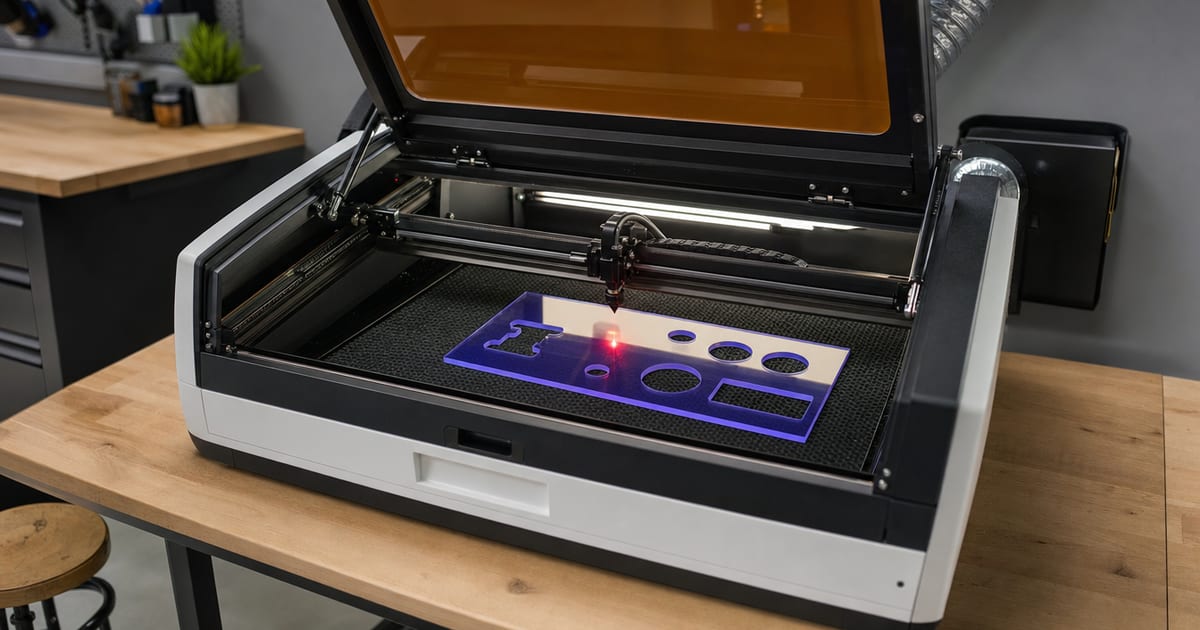
CO2 lasers are the upgrade-and-cut machine: where diodes engrave and cut thin stock, a desktop CO2 cuts thick acrylic, wood and leather cleanly, and engraves glass and slate. This silo covers wattage, bed size, cooling, and the enclosed-versus-open-frame divide. Specs are verified against manufacturer and current Amazon listings; no hands-on testing is claimed.
A CO2 laser fires in the far infrared, at around 10.6 micrometres — a completely different wavelength from a diode's blue 450nm beam. That's the whole reason a CO2 is the cutter of the two. Most non-metals absorb 10.6µm energy efficiently, so a CO2 slices clear and coloured acrylic, thick wood, leather, paper, card, rubber and fabric with clean edges, and it engraves glass and slate that a diode can only lightly frost. The classic upgrade path is a maker who started on a diode, hit the wall on clear acrylic or 10mm hardwood, and moved to a CO2 to get the cuts a diode physically can't make. The one job a CO2 still won't do is cut or mark bare metal — that's fiber-laser territory. If you're choosing between the two for the first time, the diode laser engravers hub covers the cheaper entry side of that decision.
How much wattage a desktop CO2 needs
For makers, desktop CO2 tubes commonly run from around 40W up to 60–100W. Wattage here behaves the same way it does on a diode — more power cuts thicker material in fewer passes and engraves faster — but CO2 tubes are quoted honestly in optical terms, so you don't fight the same watt-inflation games as on the diode side. A 40W desktop CO2 cuts thin-to-medium acrylic and wood comfortably; 60–100W machines push through thick acrylic and hardwood in a single pass and run faster on production batches. Match the wattage to the thickest material you actually plan to cut rather than the headline number, and confirm the figure against the by-material capability guide for your specific stock.
Bed size, cooling and the enclosed-vs-open-frame divide
Three specs decide how a CO2 fits your workshop. Bed size is fixed on enclosed machines, so buy the work area you'll need — there's no widening it later the way you can with an open-frame diode. Cooling matters more than on a diode: smaller tubes are often air-cooled, while larger tubes need water cooling to run reliably and last, so factor the chiller or pump into both the budget and the bench space. And the enclosed-versus-open-frame divide is the big one for a home shop.
- Enclosed CO2 — contains fumes and the beam, is far easier to vent safely, and is the sensible choice around a home or garage workshop. The trade-offs are cost and a fixed bed. This is the category the big consumer brands sit in.
- Open-frame CO2 — can be cheaper and offer a larger bed, but demands a dedicated space, careful ducting and disciplined safety. Better suited to a workshop you can give over to it.
Whichever way you lean, every CO2 needs proper fume extraction ducted outside — see the best laser engraver accessories guide for extractors, enclosures and the rest of the supporting kit.
What CO2 ownership really involves
A CO2 is a more involved machine to live with than a diode, and it's worth knowing that going in. The glass tube is a consumable: it has a finite working life and will eventually need replacing, so factor a tube swap into the long-term cost rather than treating the machine as buy-it-and-forget. Water-cooled tubes need their coolant kept clean and at temperature, and the pump or chiller running whenever the laser fires. The optics — mirrors and the focus lens — pick up residue over time and need occasional cleaning and alignment to keep cuts sharp and the beam hitting square. None of this is difficult, but it's real maintenance, and it's the trade-off you accept for the cutting power a diode simply can't match.
For makers, the upside is that a well-kept desktop CO2 turns a hobby into a small production line: clean acrylic edges, single-pass cuts through wood that a diode would labour over in many passes, and the headroom to take on work you'd otherwise have to turn down. When that's the work you want to do, the best desktop CO2 laser cutters guide compares the machines on wattage, bed size and cooling so you can match one to your bench.
Still weighing whether a CO2 is the right step up at all? The maker's guide to choosing a first laser lays out diode versus CO2 in plain English, and the diode-vs-CO2 chooser turns your own materials and budget into a recommendation. Makers who also run other crafts — the tabletop miniature-painting crowd among them — tend to vet gear the same spec-first way: confirm what it can do before you hand over the money.
Featured guides
The current published guides in this silo. More land each batch.
Landing next: CO2 laser cutter guide, Glowforge alternatives, and desktop-CO2 brand-model deep-dives.
Frequently asked questions
Why does a CO2 laser cut what a diode cannot?
A CO2 laser emits at ~10.6µm, a wavelength most materials absorb well — so it cuts clear and coloured acrylic, thick wood, leather, paper and rubber, and engraves glass and slate. A diode at ~450nm passes straight through clear acrylic and reflects off bare metal, so it cannot cut either. CO2 is the upgrade/cut machine.
How much wattage does a desktop CO2 laser need?
For makers, common desktop CO2 tubes run from around 40W up to 60–100W. Higher wattage cuts thicker acrylic and wood in a single pass and engraves faster. Bed size and cooling (air versus water) matter alongside wattage. Match the wattage to the thickest material you plan to cut.
Are enclosed CO2 lasers better than open-frame?
Enclosed CO2 machines contain fumes and the beam, are easier to vent and safer around a home workshop, but cost more and limit work size to the fixed bed. Open-frame CO2 setups can be cheaper and larger but need careful ventilation and a dedicated space. Choose based on your space and what you cut.