Laser Engraving By Material
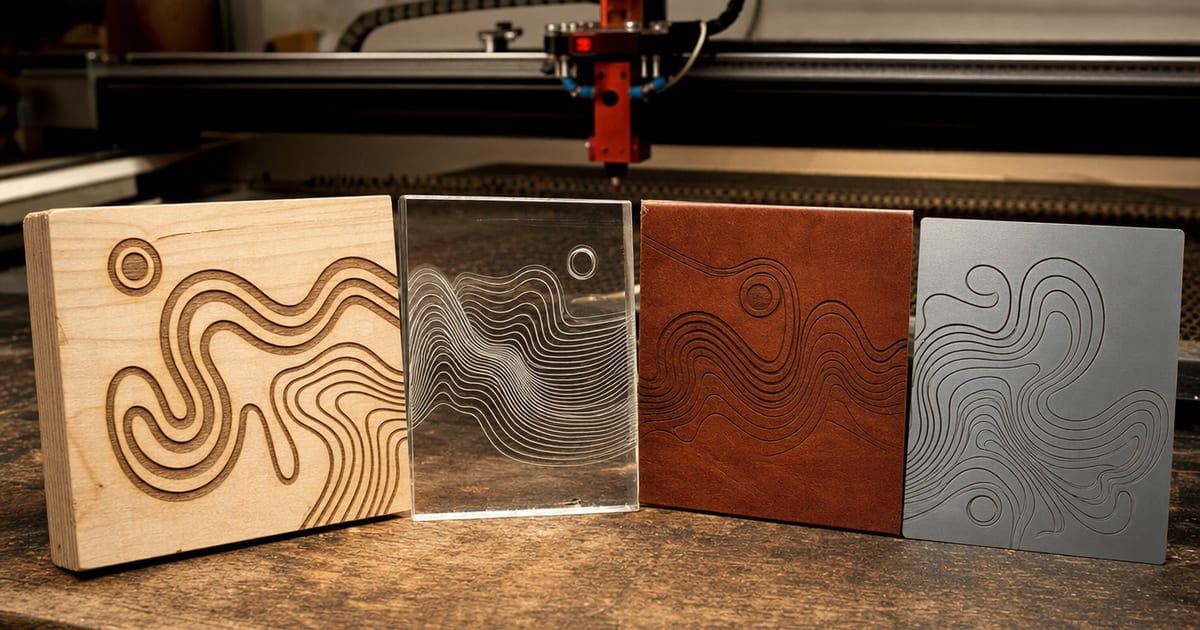
The most useful way to choose a laser is to start from what you want to make. This silo covers what your laser can cut and engrave by material — wood, acrylic, leather, tumblers and metal-marking, glass and slate — with the cut-versus-engrave capability, which laser type each material needs, and the optical wattage required. It funnels straight into the material-cut calculator. Specs are verified against manufacturer and current Amazon listings; no hands-on testing is claimed.
Two ideas make every material on this page make sense. First, cutting and engraving are the same beam at different settings — high power and slow speed cuts through, lower power and faster speed marks the surface — so a material that's easy to engrave can still be impossible to cut on the same machine. Second, the laser type decides what's even possible. A diode at ~450nm and a CO2 at ~10.6µm absorb into materials completely differently, which is why a diode engraves wood happily but can't cut clear acrylic, while a CO2 cuts that acrylic with ease. Bare metal needs a fiber laser — neither diode nor CO2 marks it directly. Keep those two ideas in mind and the table below is just detail. If the type question itself is still open, the maker's guide to choosing a first laser covers diode versus CO2 first.
What each material needs
Wood
The material most makers buy a laser for. Wood engraves on any diode and cuts on a diode up to a thickness that rises with optical wattage — roughly 6mm plywood on a 20W diode in passes, with thicker hardwood wanting a 40W diode or a CO2. CO2 gives cleaner, less-scorched edges in fewer passes. This is the site's pillar material, covered in depth in the best laser engravers for wood guide.
Acrylic
The fork in the road. Clear acrylic needs a CO2 — a diode beam passes straight through it and won't cut it at any power. Dark or opaque acrylic a diode can cut in thin sheets, because the colour absorbs the blue beam. For cast acrylic with flame-polished cut edges, CO2 is the maker's choice. This single material is why so many first-time diode buyers get caught out.
Leather
A diode-friendly material: real leather engraves and etches beautifully on a diode, and thinner leather cuts on a mid-wattage diode, while a CO2 cuts thicker hides cleanly. Run strong ventilation — leather smoke is unpleasant and harmful to breathe.
Tumblers & metal marking
Coated, powder-coated and anodised metals mark well on a diode (the coating absorbs the beam); stainless takes a marking spray. Bare, shiny metal won't mark on a diode or a CO2 — that needs a fiber laser. For tumblers, the bigger questions are Z-height and rotary support, which the best diode laser engravers guide flags per machine.
Glass & slate
Both engrave rather than cut. CO2 frosts glass and etches slate cleanly; a diode can mark slate and coated glass but is weaker on bare glass. These are surface-marking jobs, not cutting jobs, on either machine.
What wattage cuts which thickness
Cutting thickness rises with optical wattage and falls with speed and pass count. As a rough field guide: a 5W diode cuts only very thin wood and card; a 20W diode cuts ~6mm plywood in passes; and a 40W-plus CO2 cuts thick acrylic and hardwood cleanly. Engraving, by contrast, works at far lower power across almost every material. Because the exact result depends on the material, the air assist, the speed and the focus, the honest answer to "will my machine cut this?" is a calculator, not a single chart.
Working from materials is how careful makers shop across hobbies, not just lasers. The crew behind a paint-and-primer guide for tabletop miniatures sort their gear by what each product is actually for — the same material-first habit that keeps you from buying the wrong laser here.
Featured guides
The current published guides in this silo. More land each batch.
Landing next: Laser engraver for wood deep-dive, laser engraver for leather, laser engraver for tumblers, best laser for acrylic, laser engraving glass, laser marking metal, and laser engraving slate.
Frequently asked questions
Which laser do I need for my material?
Match the laser type to the material. Wood, leather and coated metal engrave on a diode; thin wood and dark acrylic also cut on a diode. Clear acrylic, thick wood and clean leather cutting need a CO2. Glass and slate engrave on CO2; bare metal needs a fiber laser, not diode or CO2. The material-cut calculator maps your material to a type and wattage.
Can a laser cut and engrave the same material?
Often, yes — cutting and engraving are the same beam at different power and speed. High power and slow speed cuts through; lower power and faster speed marks the surface. Whether a given machine can cut a material at all depends on its type and optical wattage, while engraving is possible at far lower power.
What wattage cuts which thickness?
Cutting thickness rises with optical wattage and falls with speed and pass count. As a rough guide, a 5W diode cuts only very thin wood, a 20W diode cuts ~6mm plywood in passes, and a 40W+ CO2 cuts thick acrylic and hardwood cleanly. Use the material-cut calculator for a per-material, per-thickness check.