Diode Laser Engravers
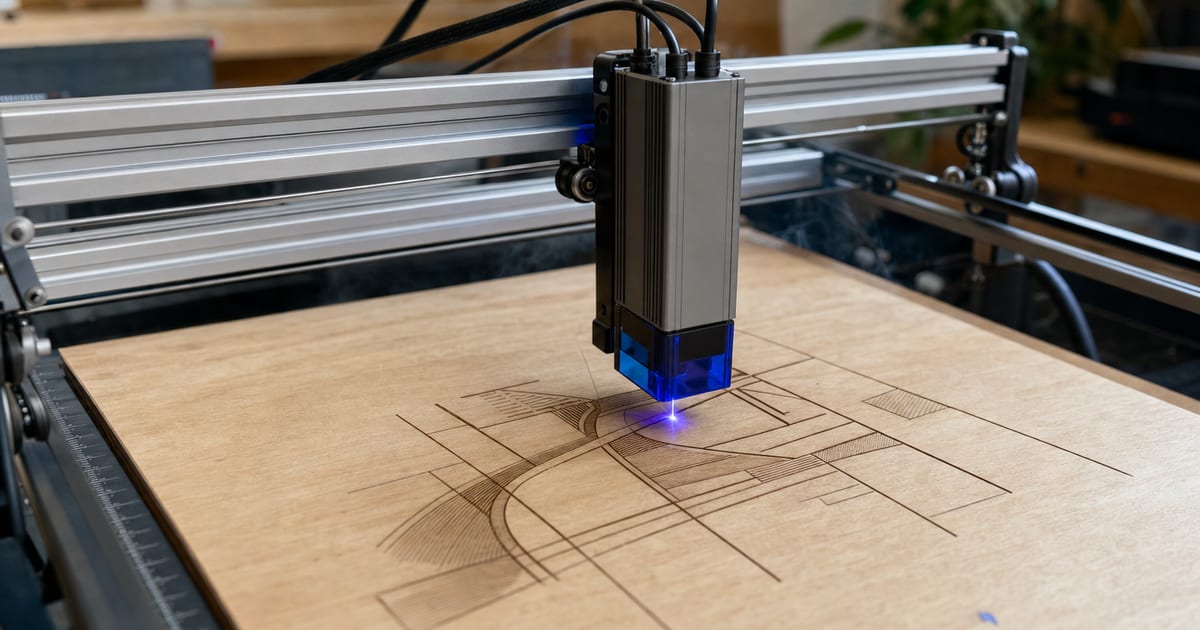
Diode lasers are the affordable, high-volume entry machine — the laser most makers buy first. This silo explains them for makers: the optical wattage tiers (5W/10W/20W/40W) versus the inflated input-watt numbers on the box, work area, and what a diode actually cuts versus only engraves. Specs are verified against manufacturer and current Amazon listings; no hands-on testing is claimed.
A diode laser is a blue-light laser, emitting at around 450 nanometres. That single fact decides almost everything about what it can and can't do. The beam is great at being absorbed by wood, leather, slate, painted surfaces and coated or anodised metal — so a diode engraves all of those cleanly — and it cuts thin, opaque materials like plywood, paper, felt, cork and dark acrylic. It is also cheap to build, which is why diodes are the open-frame machines you see most makers start on. The catch lives in the same physics: a 450nm beam passes straight through clear acrylic and reflects off bare metal, so a diode cannot cut either, no matter how many passes you run. If your work is engraving and light cutting, that's no problem; if you need to cut thick or clear stock, that's the moment you look at desktop CO2 laser cutters instead.
Optical wattage tiers — and the watt-inflation trap
Diodes are sold in optical-power tiers, and the tier is the most important number on the spec sheet. Here's what each one realistically does for a maker:
- 5W optical — an engraving machine. Marks wood, leather and coated metal well, and cuts only very thin wood, card and paper.
- 10W optical — engraves faster and cuts thin plywood in a few passes. A common entry point for craft work.
- 20W optical — the practical all-rounder. Cuts roughly 6mm plywood in passes with air assist, and engraves quickly.
- 40W optical — the top diode tier. Cuts thicker hardwood and works faster, but still won't touch clear acrylic or bare metal.
The trap is watt inflation. Plenty of listings lead with a giant "wattage" that is really the input or electrical draw — the power the module pulls from the wall — not the optical output that does the cutting. A module advertised as "40W" on input watts may put out only 5W optical. When a listing shouts a big number and hides the optical rating, dig for the real figure or move on. Always compare optical watts to optical watts. The best diode laser engravers guide lists the real optical rating for each machine so you're comparing like for like.
What a diode actually cuts versus only engraves
The honest way to think about a diode is two separate jobs. Engraving needs very little power, so almost any diode marks wood, leather, slate, glass-with-coating, anodised aluminium and painted metal beautifully. Cutting is the demanding job, and it scales with optical wattage: thin wood and dark acrylic at lower tiers, thicker plywood as you climb. Clear acrylic and bare metal sit permanently outside a diode's reach because of the wavelength, not the power. If you're unsure whether a diode will cut a specific material at a specific thickness, that's exactly what the material-cut calculator answers — and the by-material capability guide maps every common material to the laser type and wattage it needs.
Work area, fixed-focus and framing
Most diodes are open-frame, which is a real advantage: the bed is the footprint, you can often add an extension kit to widen the working area, and you can engrave objects taller than a fixed enclosure would allow. Check the Z-height if you want to engrave tumblers or thick stock, and confirm rotary support if you engrave round objects. Useful niceties to look for are a framing or preview function (the laser traces the job outline before it fires, so you can position the work) and an easy, repeatable way to set focus. None of that changes what the machine can cut — that's down to the optical tier — but it changes how pleasant it is to use day to day.
New to all of this? The maker's guide to choosing a first laser walks through diode versus CO2, the watt-inflation trap and the full setup in order. And if lasers are one of several crafts on your bench, the makers who run a spec-honest miniature-painting resource approach gear the same way we do — work out what it can actually do, then dial it in.
Featured guides
The current published guides in this silo. More land each batch.
Landing next: Portable laser engraver guide, Diode laser wattage explained, and the brand-model deep-dives.
Frequently asked questions
What can a diode laser actually cut?
A diode laser (~450nm) engraves wood, leather and coated metal, and cuts thin wood, plywood, paper, felt and dark/opaque acrylic. It cannot cut clear acrylic (the beam passes straight through) or bare metal (the beam reflects). Cutting thickness rises with optical wattage and falls with speed.
What does the optical wattage tier mean?
Diodes are sold in optical-power tiers — typically 5W, 10W, 20W and 40W. Higher optical wattage cuts thicker material in fewer passes and engraves faster. Watch for watt inflation: some machines quote the input/electrical wattage, a bigger number that is not the cutting power. Always compare optical watts.
Are diode lasers good for beginners?
Yes — diodes are the affordable, open-frame entry machine most makers start with. They are simpler and cheaper than CO2, great for engraving and light cutting, and easy to widen for larger work. The trade-off is that they cannot cut the thick acrylic and clear materials a CO2 handles.